Code the game.
Trace every possession.
Teach what matters.

Video coding and analysis built by an international head coach. Tap the field, follow the ball, speak your codes — and get clips, chains and reports your players understand.

Field hockey now · more sports comingMac · Windows · iPadEnglish · 中文Works offlineOpens Sportscode & Angles files

Open the Lab

1 · Choose your sport · 选择运动
2 · Your licence key · 许可证

Enter the key that came with your package, e.g. BTL-ELT-7K3Q-M9XD.

No key yet?Request a demo

Less clicking. More coaching.

Everything an analyst does on game day — in one screen, with ready-made code windows so you code from day one.

📍

Tap the field

Every code gets its place on the field. Zones, circle entries and shot zones are filled in for you.

🔁

Follow the ball

Free hit or turnover → pass → dribble → aerial → shot. The whole chain becomes one clip, with 23 m and circle entries added automatically.

🎤

VoiceCode — speak your codes

Record words in your own voice, any language. Say “pass”, tap the field. Works offline — buttons and keys keep working too.

🎬

All your angles

As many camera angles as you film, aligned to the start of the game. The field view follows each angle.

📊

Matrix & presentations

Click any cell to watch those clips. Send clips to a presentation and show it full screen to the team.

🧩

Ready-made code windows

Pick a template and start. Or build your own from the code library — no scripting, no linking buttons.

FH→tap→“pass”→tap→“dribble”→tap→“shot”→CP · 23E · SOG done

See it in action

Real screens from Coach Studio Lab, in the order you work: prepare, code, analyse, report. Click a picture to see it full size.
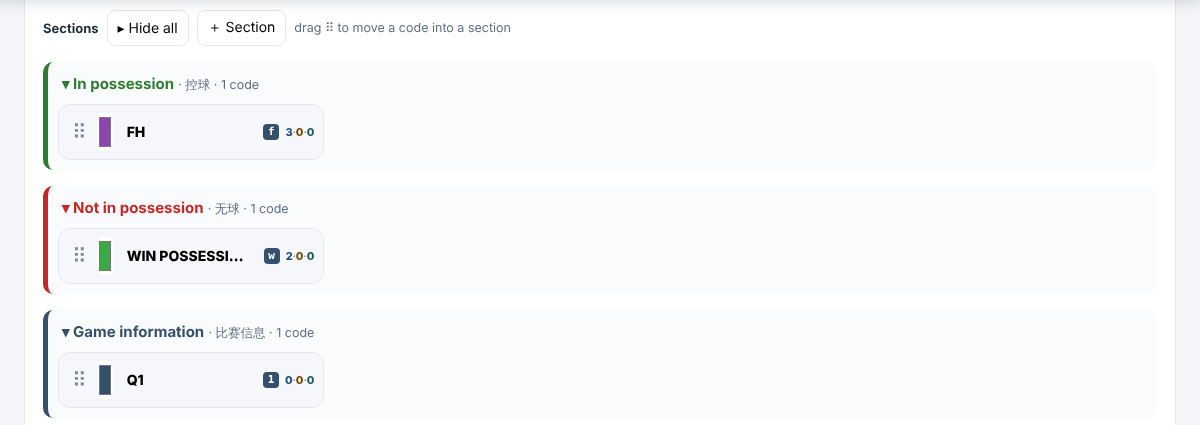
Code station sections with one example code each
1Code stationAll the prep in one place. Codes sorted into sections — in possession, out of possession, game information. After this it is just coding.
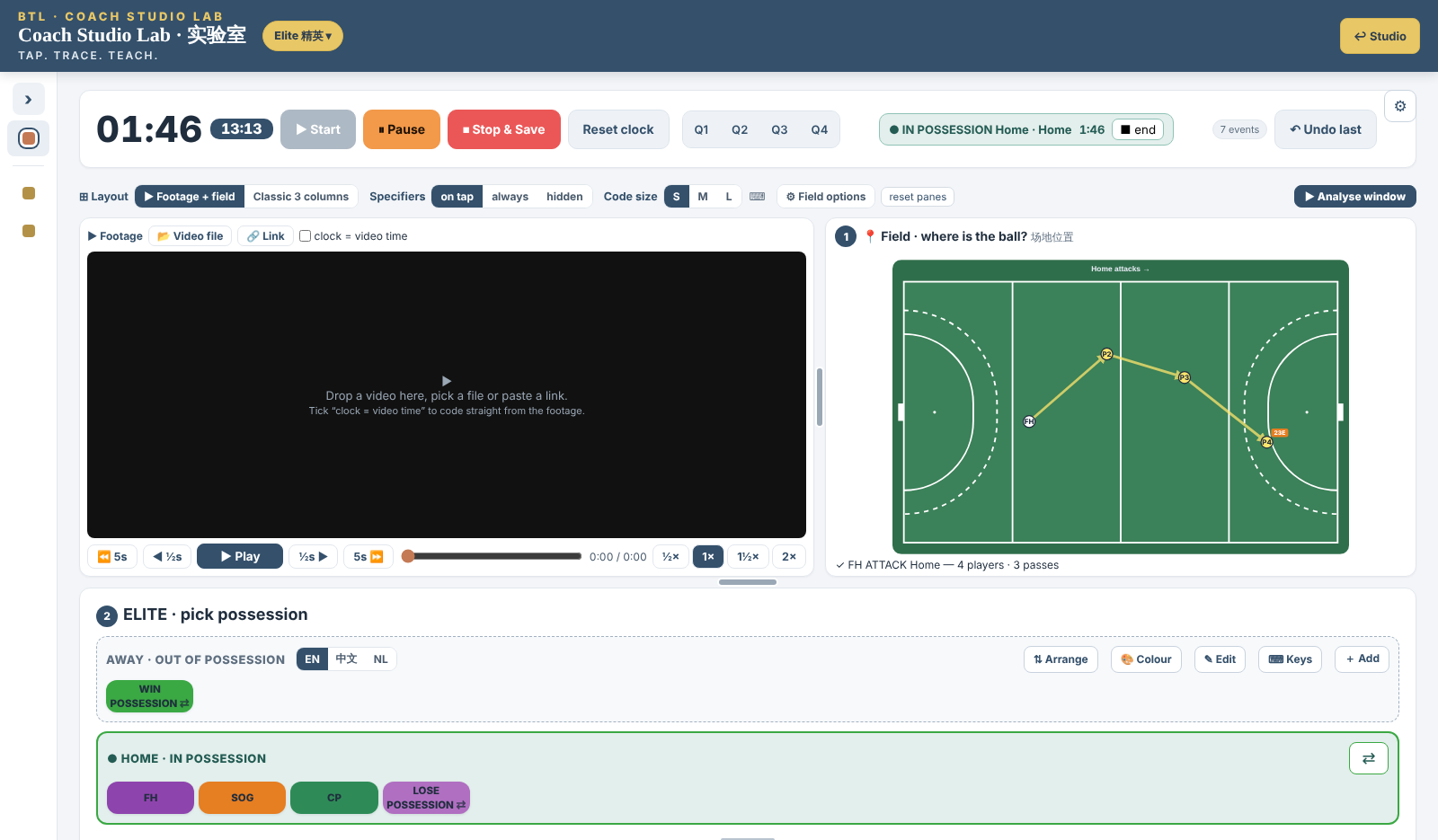
Coding screen with footage, field and game chain
2Code the gameFootage, field and code buttons on one screen. A free hit and its passes are drawn on the field as you code.
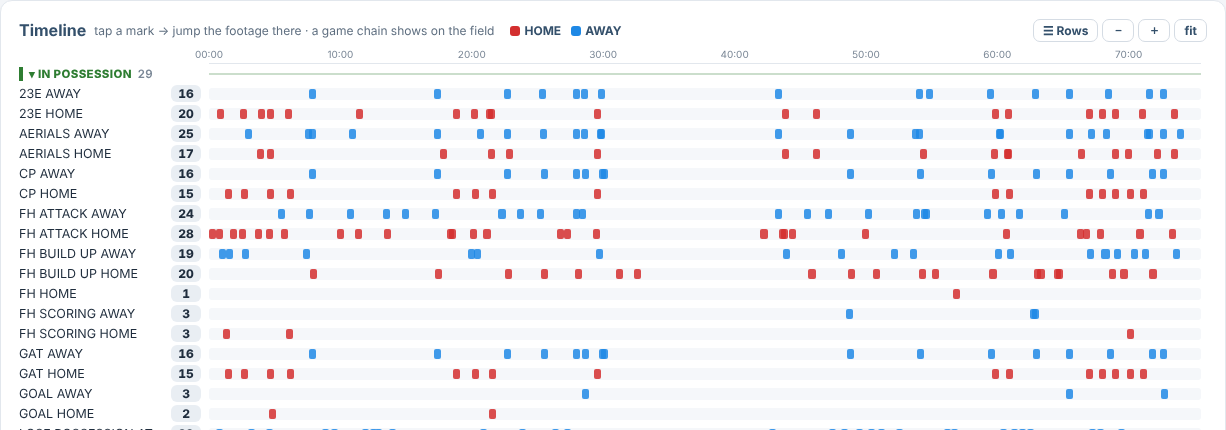
Timeline of a coded game
3AnalyseEvery code on one timeline, per team. Tap a mark and the footage jumps there.
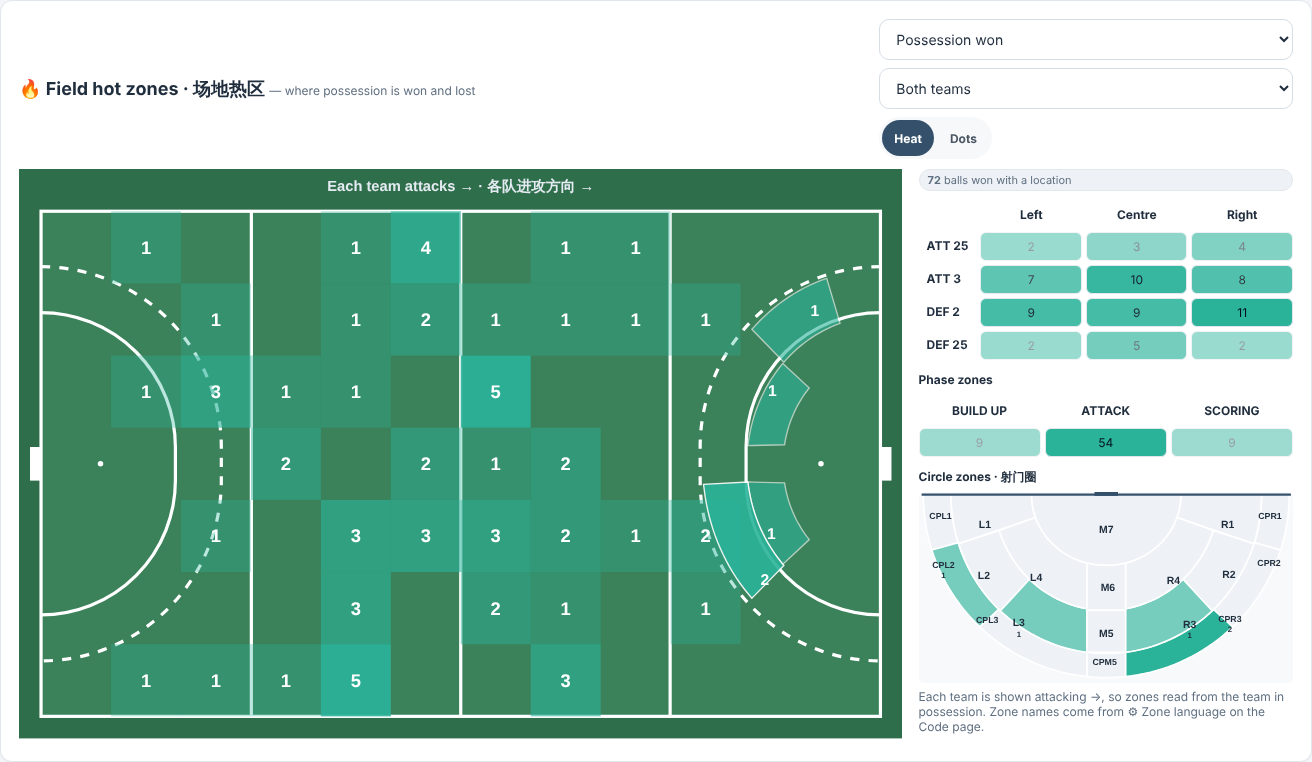
Field hot zones report
4ReportAfter coding a game: every tap on the field lands in its zone. See where possession is won and lost — by field zone, by build-up, attack and scoring, and in the circle — ready for the team meeting.
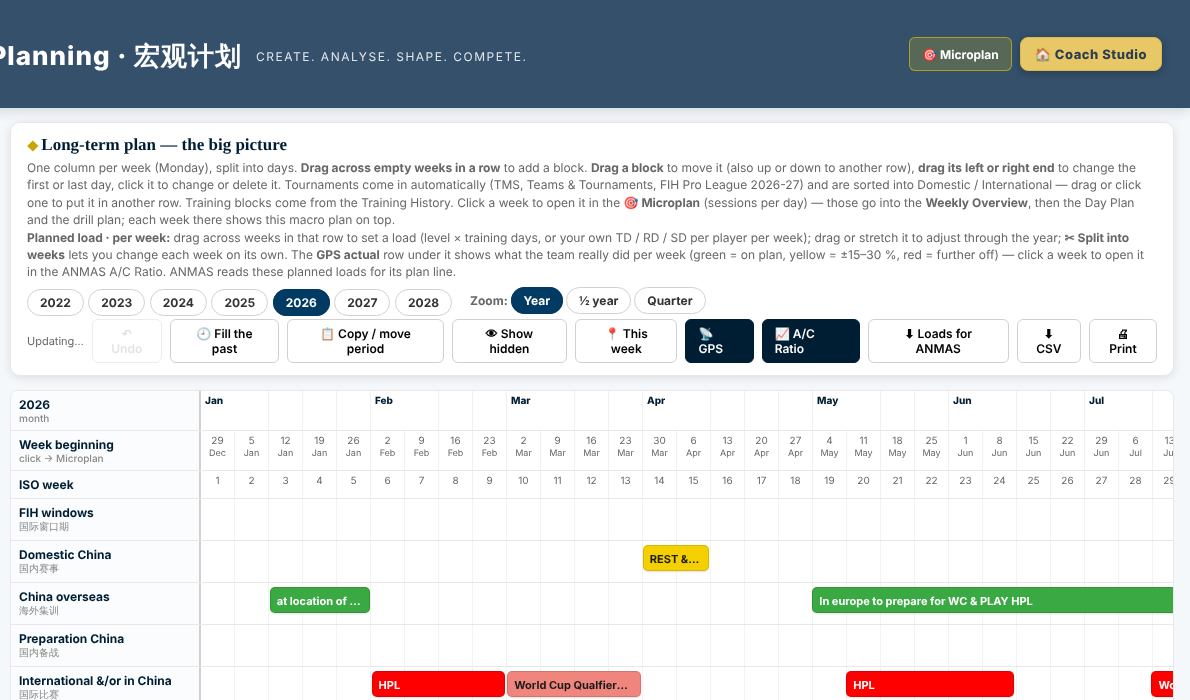
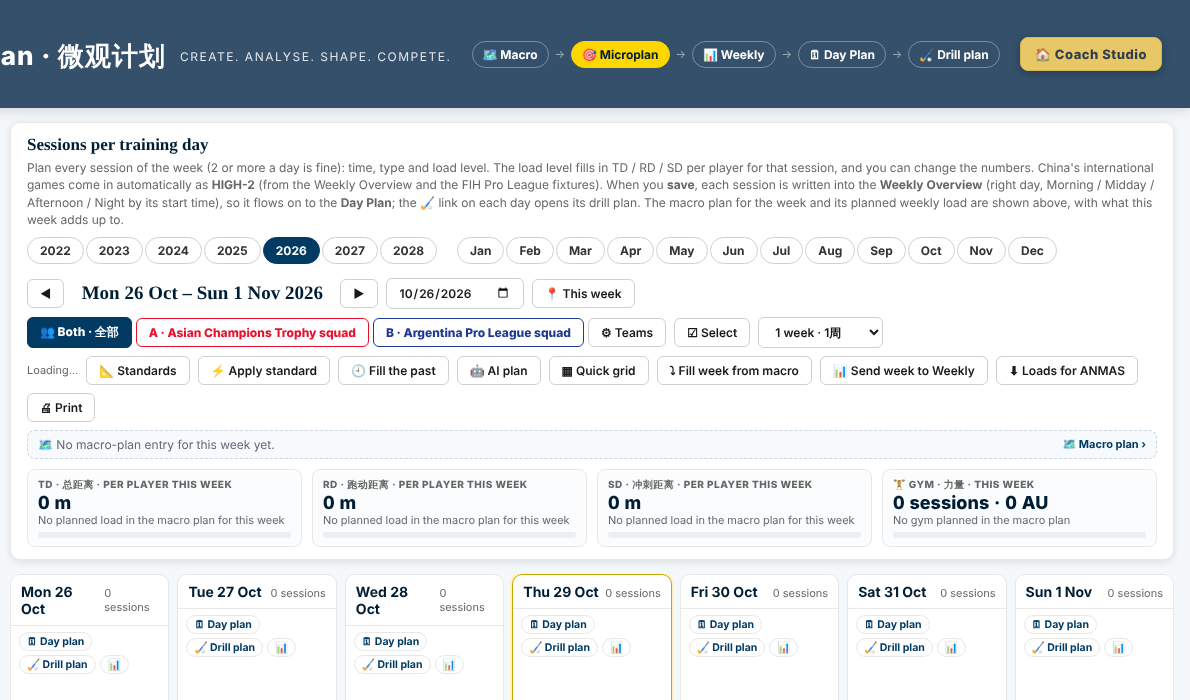
Switch without losing your archive

Bring your existing games with you.

  • Opens Sportscode and Angles timelines and Angles vaults
  • Exports the same timeline format — your other tools keep working
  • Your video and player data stay on your own disk
  • One licence key per package — no shared passwords

One licence, one way of working

Same look, same codes, same language across every screen.

  • English and 中文 side by side
  • Works offline while you code
  • Mac, Windows and iPad in the browser
  • Help, glossary and user manual included

Coach Studio Lab is part of Coach Studio

Coach Studio is the full coaching toolkit from Beyond the Limits. The Lab is its analysis room — what you code here feeds the plans, the players and the reports.

Planning — from the season to the session

Macro planning
1MacroThe season: tournaments, camps, training blocks and load per week.
Microplan
2MicroSessions per training day with planned load per player.
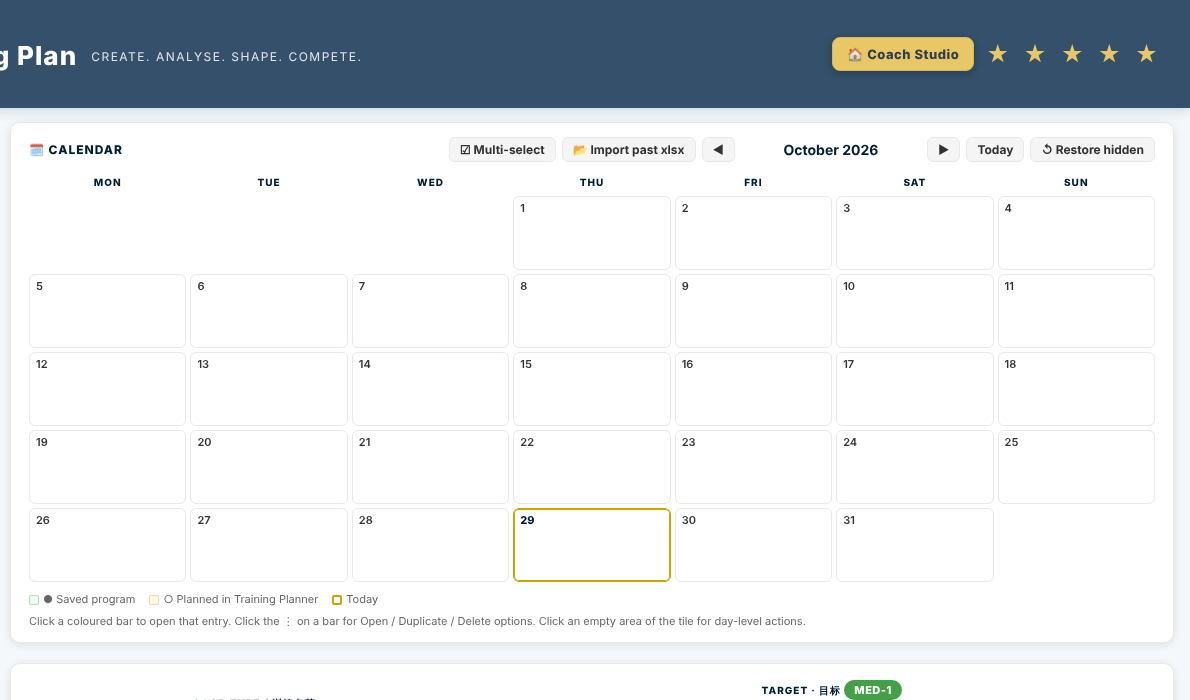
Month calendar
3MonthThe training calendar — every session and its drill plan.
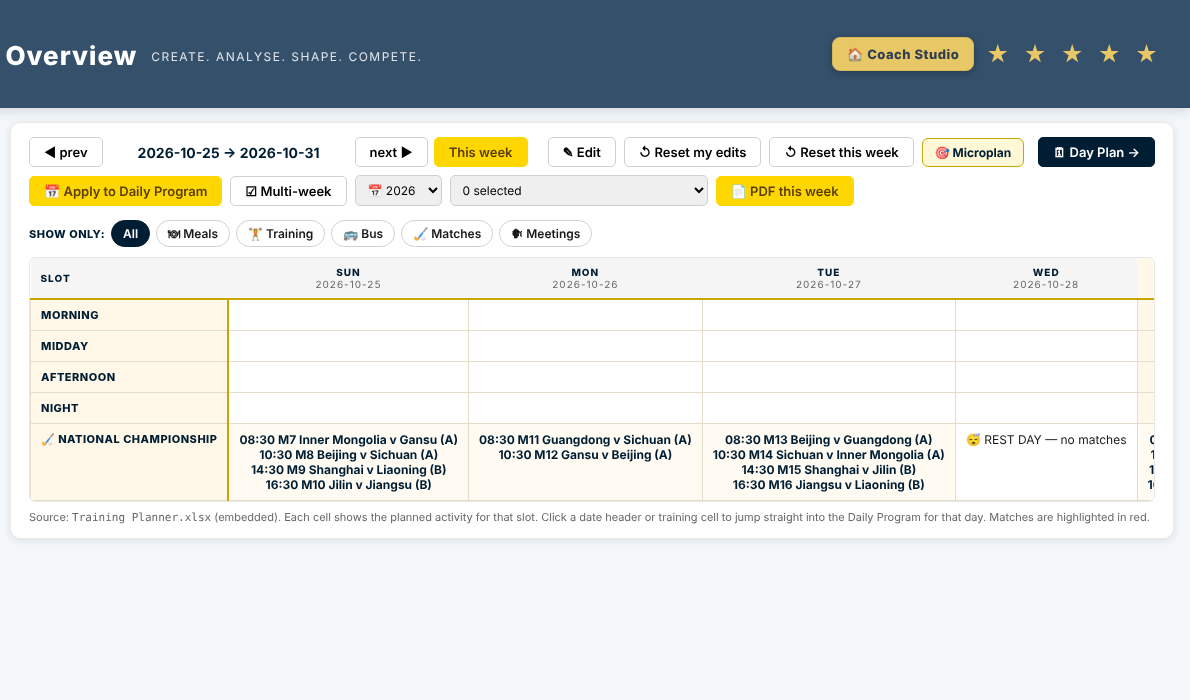
Weekly overview
4WeekMorning, midday, afternoon and night for the whole team.
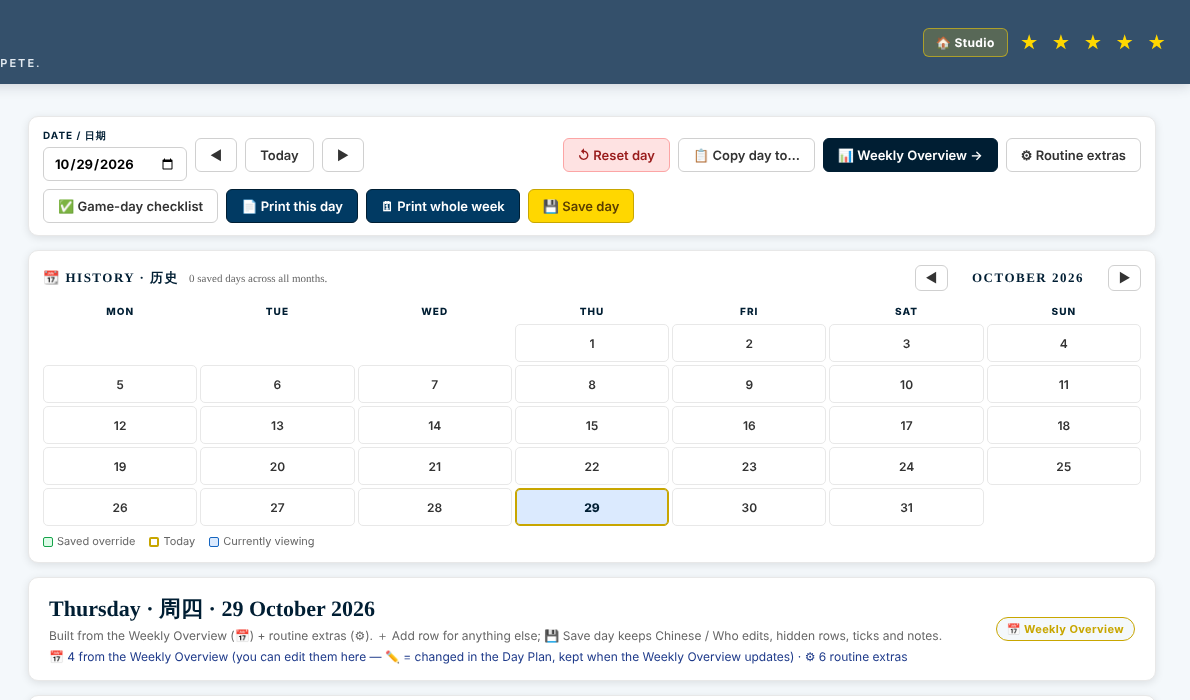
Day plan
5DayThe day plan, printed for players in English and 中文.

And on the field

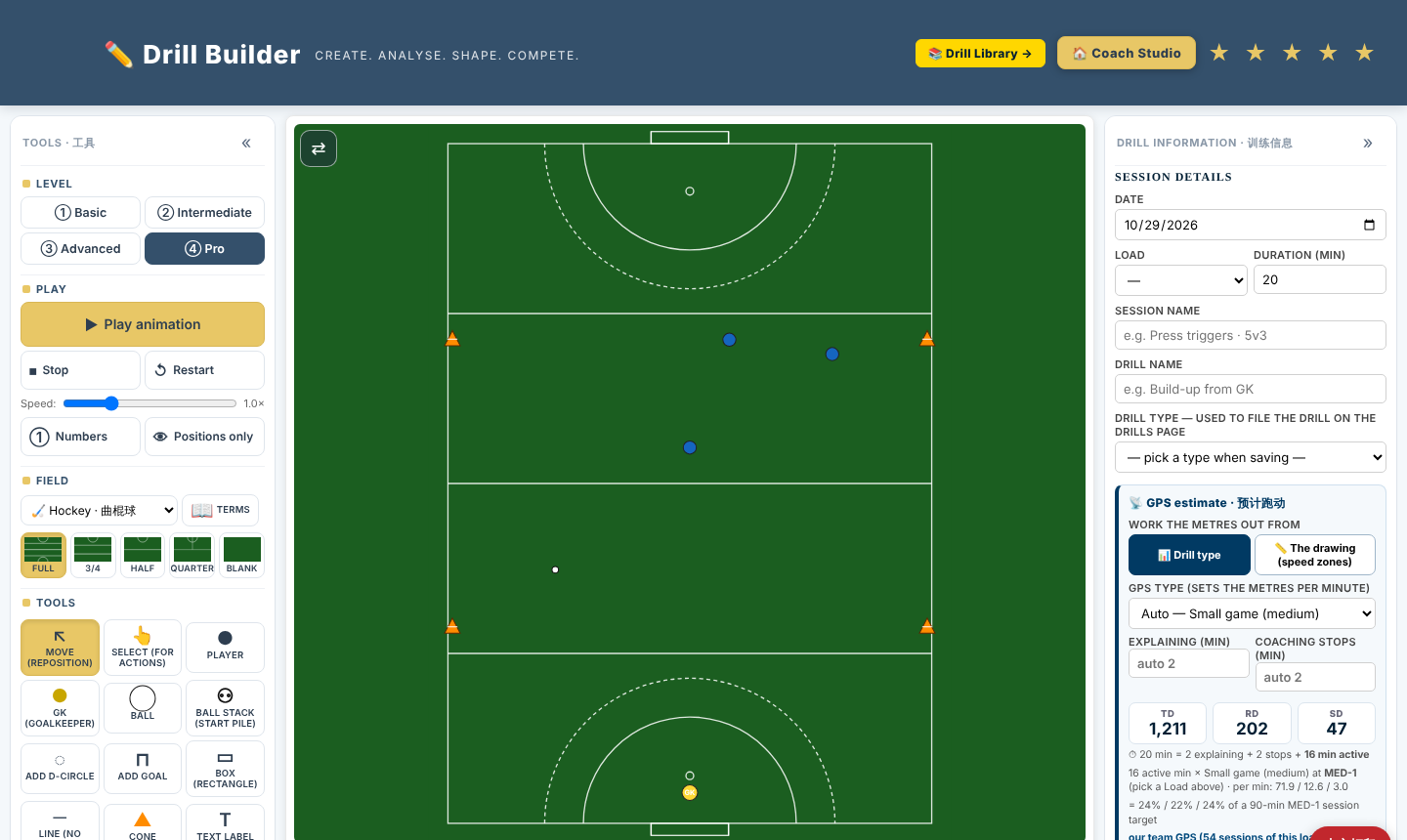
Drill Builder
Drill BuilderDraw and animate a drill. It estimates the running load of the drill from real GPS data.
Tournament results
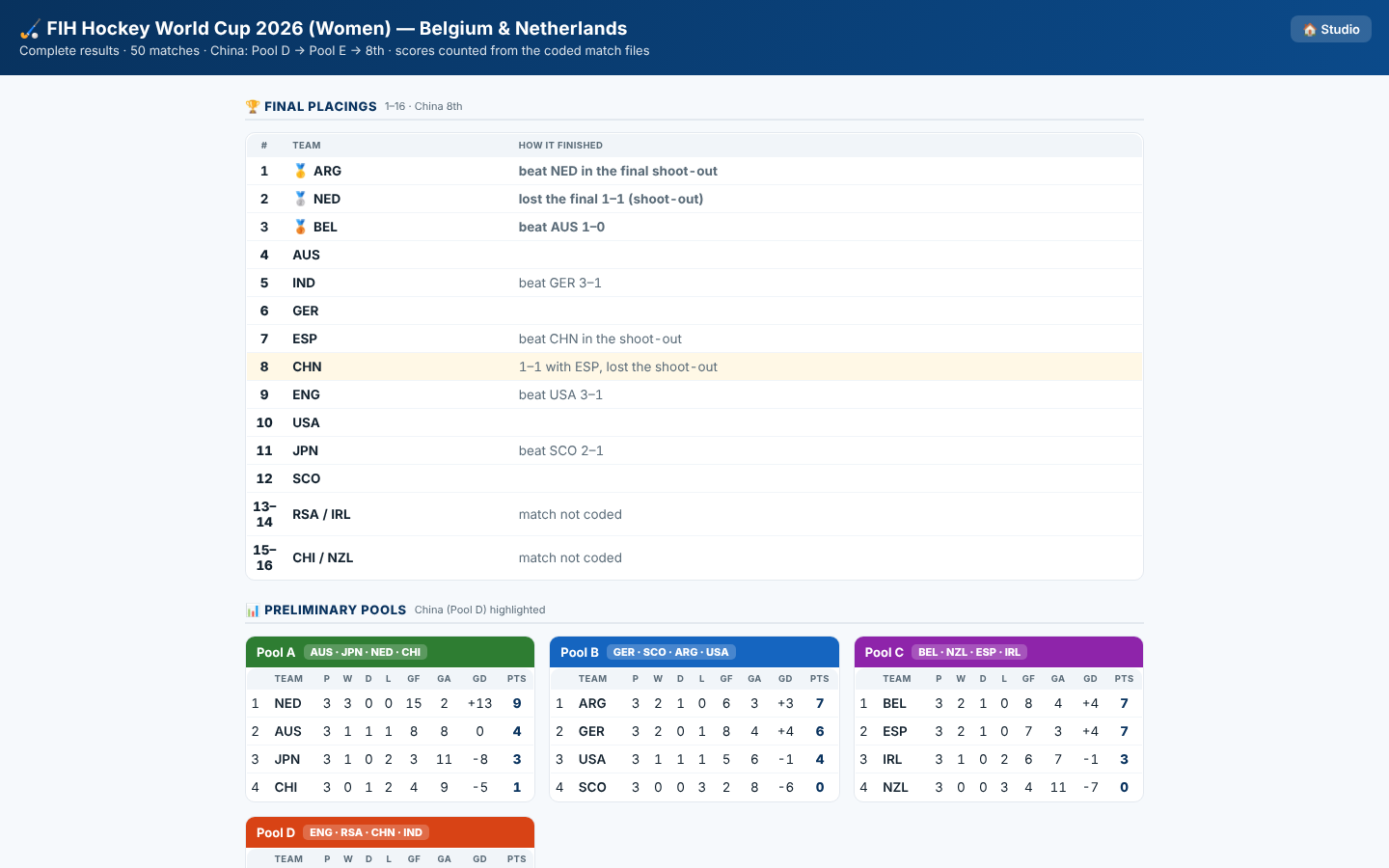
TournamentsFixtures, pools, standings and final placings — straight from the coded matches.
Choose your Coach Studio packageGo to Coach Studio ›

Four packages draft

One app — a higher package switches on more of it. Start simple, grow into it.

Works on
Compare every function ›

Request a licence or more information

Tell us a little about your team. You get an answer by email, usually within a day — with prices, a demo, or a trial key.